RBA Voices Feedback Tool: Give Workers a Voice

The RBA Voices’ FEEDBACK TOOL gives workers a mobile platform to share their concerns and provide factories with an operational feedback tool. To ensure a continuous positive experience, workers can escalate their grievances to 3rd party organizations for further oversight.

By providing workers a constant voice, RBA members can mitigate potential risks by gaining enhanced visibility and insight into their suppliers. This supplier-managed tool will provide both RBA members and frontline workers with the necessary oversight – all to give workers the safest and most engaging work environment.

Select the section below for additional onboarding information and platform content.

Member Resources
Factory Resources
Worker Resources
Back
Member Onboarding
Skip
Intro
Step1
Get Started
Step2
Overview
Step3
Setting Up
Step4
Completion
Dear Member
Welcome Feedback Tool Quick
Onboarding Guide
The RBA Quick Onboarding Guide is an information portal which will help you get familiarize yourself with the RBA Voices Feedback Tool and guide you through the necessary steps to ensure a successful deployment of the Worker Feedback tool.
Important Initial Steps:
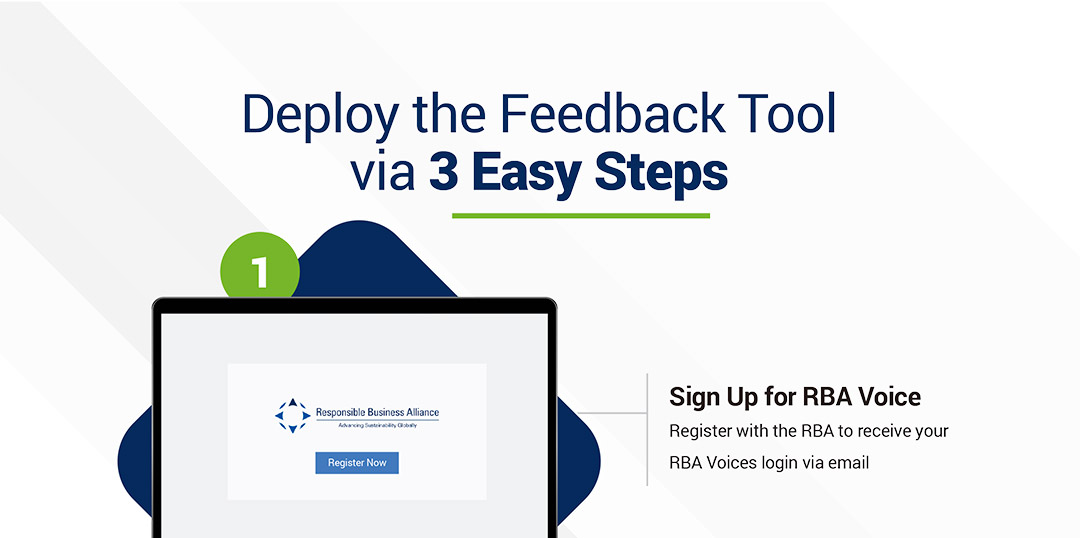
  1. Contact your target suppliers:
    Provided below are materials to support your efforts to communicate and introduce the program to factory management teams.
  2. Factory Point of Contact:
    During your communications with the factory it’s IMPORTANT they identify a Point of Contact (POC) to manage the Feedback project. We will need an email address to start the onboarding procedures.
  3. The POC will be responsible for onboarding, deploying the tool, and responding to each workers Feedback (i.e. HR manager or Sustainability manager). This person is critical to the success of the program.
Onboarding Package:
When communicating with the Factory management teams, use these materials to explain the feedback program and to provide a general overview. Note: These items are intended to be sent to the Factory Leadership team prior to launching the tool, more detailed information will be sent to the POC during the deployment.
In this Quick Onboarding Guide, we will provide you with the tutorial videos & courses in a study sequence.
This Quick Onboarding Guide does not have any time limitation. Please take your time to go through the content. Be sure you do not skip any page as all contain important information.
Next
Get Started
What do you need to Prepare
Here you will learn about the list of tasks which Member will need to prepare before deploying the Feedback Tool to the Factory.
Please scroll down to read the content. After you have done reading this page, click [NEXT] to view the next page.
Next
Overview
Feedback Tool
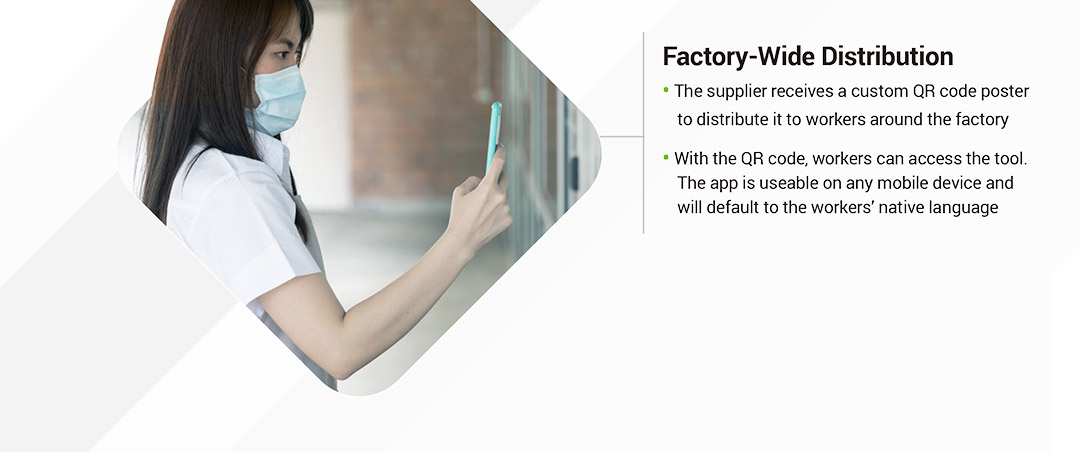
Here you will have an frontend view on how this Feedback Tool works and how Employees from Factories can submit feedbacks using this Tool.
Please scroll down to read the content. After you have done reading this page, click [NEXT] to view the next page.
Next
Setting Up
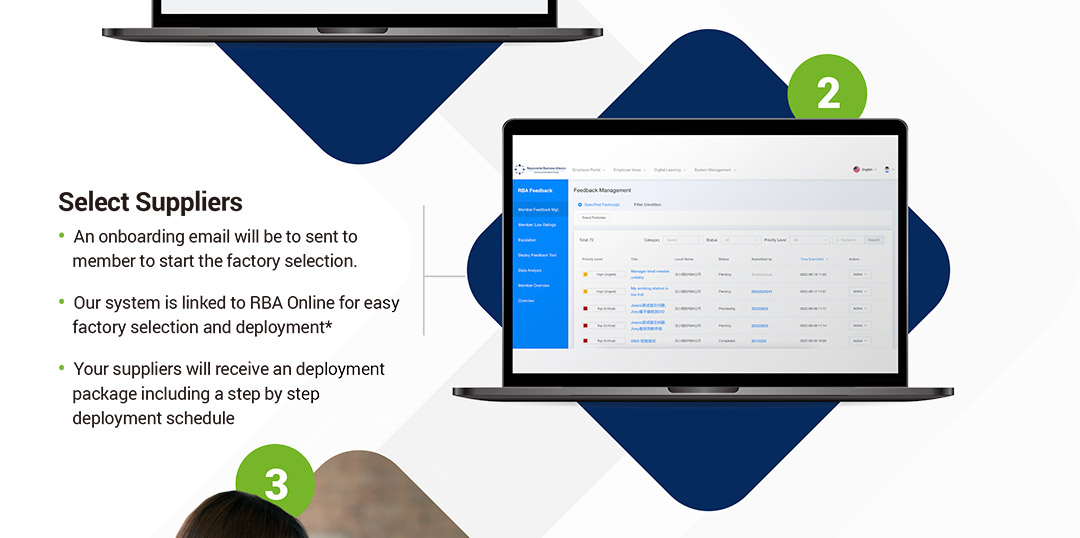
Deploy Feedback Tool To Factories
Here you will learn about backend navigation, how to deploy the Feedback Tool to Factories and how to read the Member’s feedback report
Please scroll down to read the content. After you have done reading this page, click [NEXT] to view the next page.
Next
Completion
Get set, GO!
Congratulations!
You have completed the tutorial training.
To login to the Backend & start deploy the feedback tool to factories, please click on this link: rba.ifuli.cn/
* You can go back & review the Quick Guide content at anytime
FAQ
Q: Currently the Feedback Tool is available in how many languages?
A: Both the User and the Management Page are available to use in multiple languages. It’s designed to be employee friendly so everyone can use it easily, anywhere, anytime.
Q: How can the worker send their feedback without revealing his/her identity?
A: Upon typing the feedback, there will be a feature on the same page which allow worker to op for ‘anonymous’ setting. It’s completely optional whether, worker use or not use this feature when they send feedback. Once worker sent the feedback anonymously, the system will encrypt their personal identification info such as Employee ID and Phone Number, except only when worker type in their identification info in the feedback content
Q: How can FTY invite worker to use this tool?
A: There will be a total package that will help member and supplier know how to manage and deploy this tool to their employee. In which there will be instruction booklet, short tutorial videos, maybe also webinars to help you utilize this tool & how to invite your worker to use the tool.
Q: Beside the factory, who can view the feedback send by worker?
A: Ultimately the data of the feedback content belong to the FTY. If FTY wish to share to RBA then FTY can. If not, then it’s also okay. FTY don’t have to share if FTY don’t want to. But the RBA system is built base on TRUST. We encourage FTY to trust RBA that RBA’s greatest purpose is to help the FTY identify risks and new innovate ideas from employees
Q: What if the worker doesn’t own a smartphone? How can he/she send the feedback?
A: We suggest the factory provide PC or tablets in the area which can be easily accessed by workers. In case of worker doesn’t own a smartphone, he or she can use the PC / tablet to submit his/her Feedback. Another low-cost suggestion is factory can encourage workers to borrow the phone of family members/close friends to submit Feedback.
Q: Can Feedback Tool able replace any current Mandatory Feedback Channels within the FTY such as Hotline, Mailbox and Labor Relation?
A: The Feedback Tool is designed as an enhancement to current communication, to improve operational efficiency between FTY’s Top Management & Workers. Please refer to the Member’s policy regarding maintaining the mandatory communication channels of FTY.
Back
Factory Onboarding
Skip
Step1
Step2
Get Started
Step3
Overview
Step4
Communication
Step5
Deployment
Step6
Completion
Dear Factories
Welcome Feedback Tool Quick
Onboarding Guide
Quick Onboarding Guide is an information booklet which will help you get familiar with the Feedback Tool &guide you through the necessary steps ensuring a successful deployment and understanding of the RBA Worker Feedback Project.
In this Quick Onboarding Guide, we will provide you with the tutorial videos & courses in a study sequence.
This Quick Onboarding Guide does not have any time limitation. Please take your time going through the content. Be sure to not Skip any page as all are key information.
Next
Get Started
Brief summary of this page
Here you will learn about Backend navigation, what are the key features of the Backend and how to read the feedback report for Factory
Please scroll down to read the content.
After you have done reading this page, click [NEXT] to view the next page.
Next
Overview
Brief summary of this page
Here you will have an frontend view on how this Feedback Tool works and how Employees from Factories can submit feedbacks using this Tool.
Please scroll down to read the content.
After you have done reading this page, click [NEXT] to view the next page.
Next
Communication
Brief summary of this page
Here you will have learned how to response to the worker’s feedbacks, what are the feedback categories and recommended time of response for each category.
Please scroll down to read the content.
After you have done reading this page, click [NEXT] to view the next page.
Next
Deployment
Brief summary of this page
Here you will learn about overall deployment process, how to the Feedback in factory, invite workers to submit feedbacks and deployment best practices
Please scroll down to read the content.
After you have done reading this page, click [NEXT] to view the next page.
Next
Completion
Get set, GO!
Congratulations!
To login to the Backend & start managing feedback, please click on this link: rba.ifuli.cn
* You can go back & review the Quick Guide content at anytime
FAQ
Q: Currently the Feedback Tool is available in how many languages?
A: Both the User and the Management Page are available to use in multiple languages. It’s designed to be employee friendly so everyone can use it easily, anywhere, anytime.
Q: How can the worker send feedback without revealing his/her identity?
A: Upon typing the feedback, there will be a feature on the same page which allow the worker to opt for the "anonymous" setting. It’s completely optional whether, workers use or not use this feature when they send feedback. Once workers sent the feedback anonymously, the system will encrypt their personal identification info such as Employee ID and Phone Number, except only when worker type in their identification info in the feedback content
Q: Besides the factory, who can view the feedback sent by workers?
A: Ultimately the data of the feedback content belong to the FTY. If FTY wishes to share with RBA then FTY can. If not, then it’s also okay. FTY don’t have to share if FTY doesn’t want to. But the RBA system is built based on TRUST. We encourage FTY to trust RBA that RBA’s greatest purpose is to help the FTY identify risks and new innovative ideas from employees
Q: What if the worker doesn’t own a smartphone? How can he/she send the feedback?
A: We suggest the factory provide PC or tablets in the area which can be easily accessed by workers. In case of worker doesn’t own a smartphone, he or she can use the PC / tablet to submit his/her Feedback. Another low-cost suggestion is factory can encourage workers to borrow the phone of family members/close friends to submit Feedback.
Q: Can Feedback Tool able replace any current Mandatory Feedback Channels within the FTY such as Hotline, Mailbox and Labor Relation?
A: The Feedback Tool is designed as an enhancement to current communication, to improve operational efficiency between FTY’s Top Management & Workers. Please refer to the Member’s policy regarding maintaining the mandatory communication channels of FTY.
Click to download RBA Voices Worker Training Material
English العربية বাংলা ဗမာ Français Deutsch हिंदी Italiano 日本語 ខ្មែរ 한국어 Bahasa Melayu नेपाली Español தமிழ் 繁體中文 ไทย Türkçe